
Using COAR Notify
Once COAR Notify is enabled and configured, it adds two places to look and a handful of workflow behaviours.
The COAR Notify inbox
Section titled “The COAR Notify inbox”The inbox is available to Admin roles only and tracks all COAR Notify traffic in and out of Kotahi. From it you can:
- see a full log of incoming and outgoing messages
- view the raw payload for any individual request
- search for requests by DOI
- jump straight to a manuscript’s control page
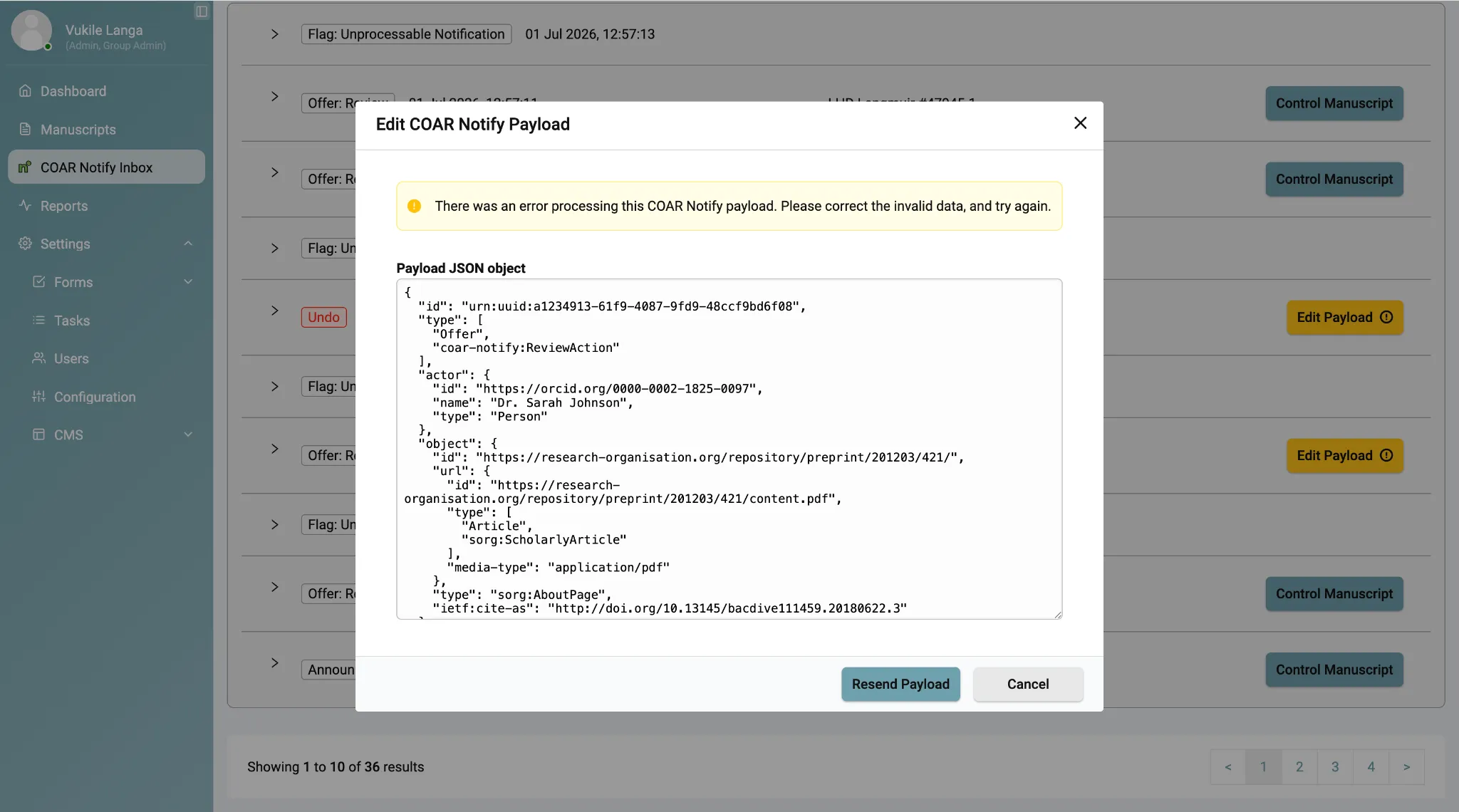
- edit and resend a payload where a request contained an error
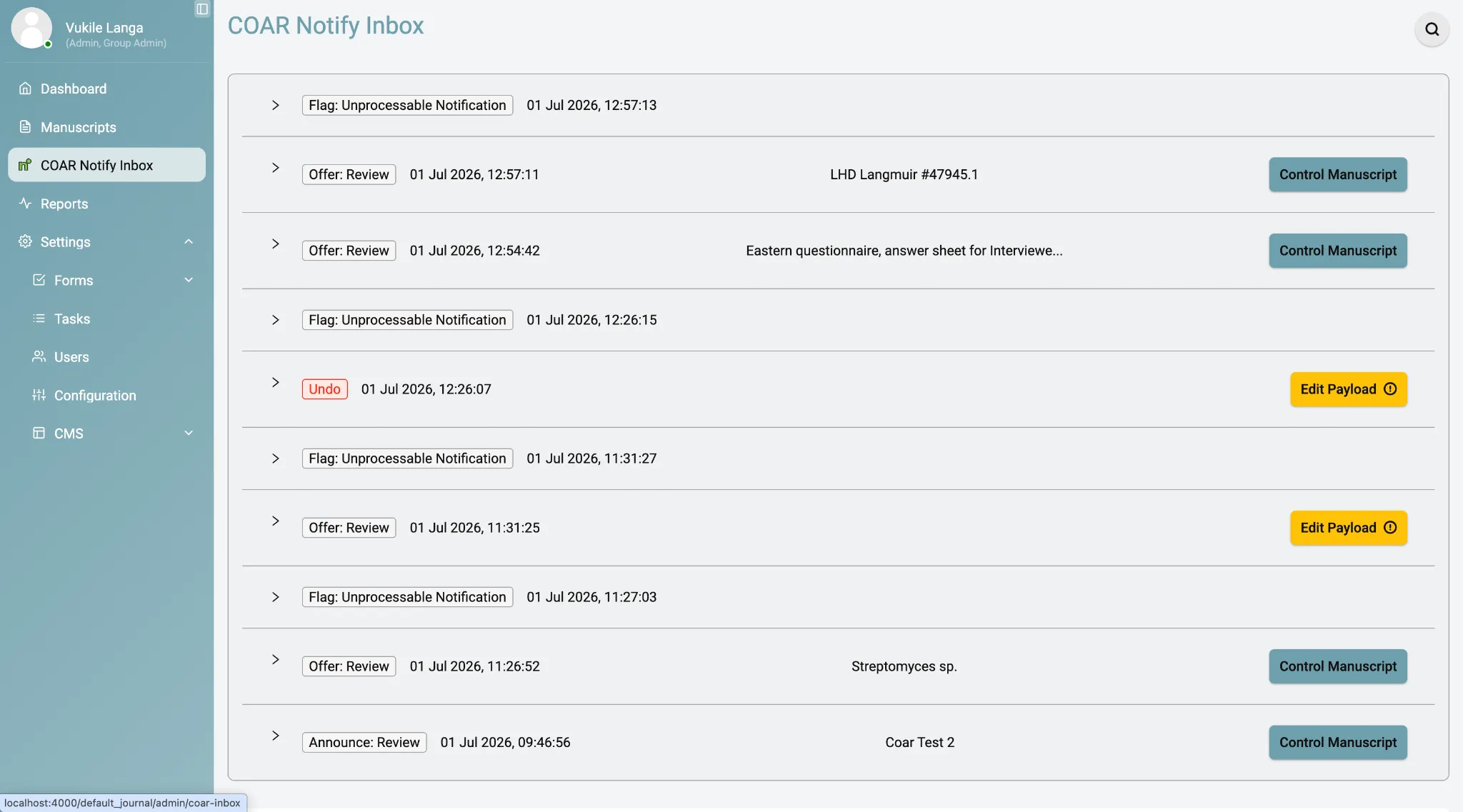
Message types you will see include Offer: Review for incoming offers, Announce: Review for outgoing announcements, Undo for withdrawn requests, and Flag: Unprocessable Notification where something could not be processed.
The COAR Notify metadata tab
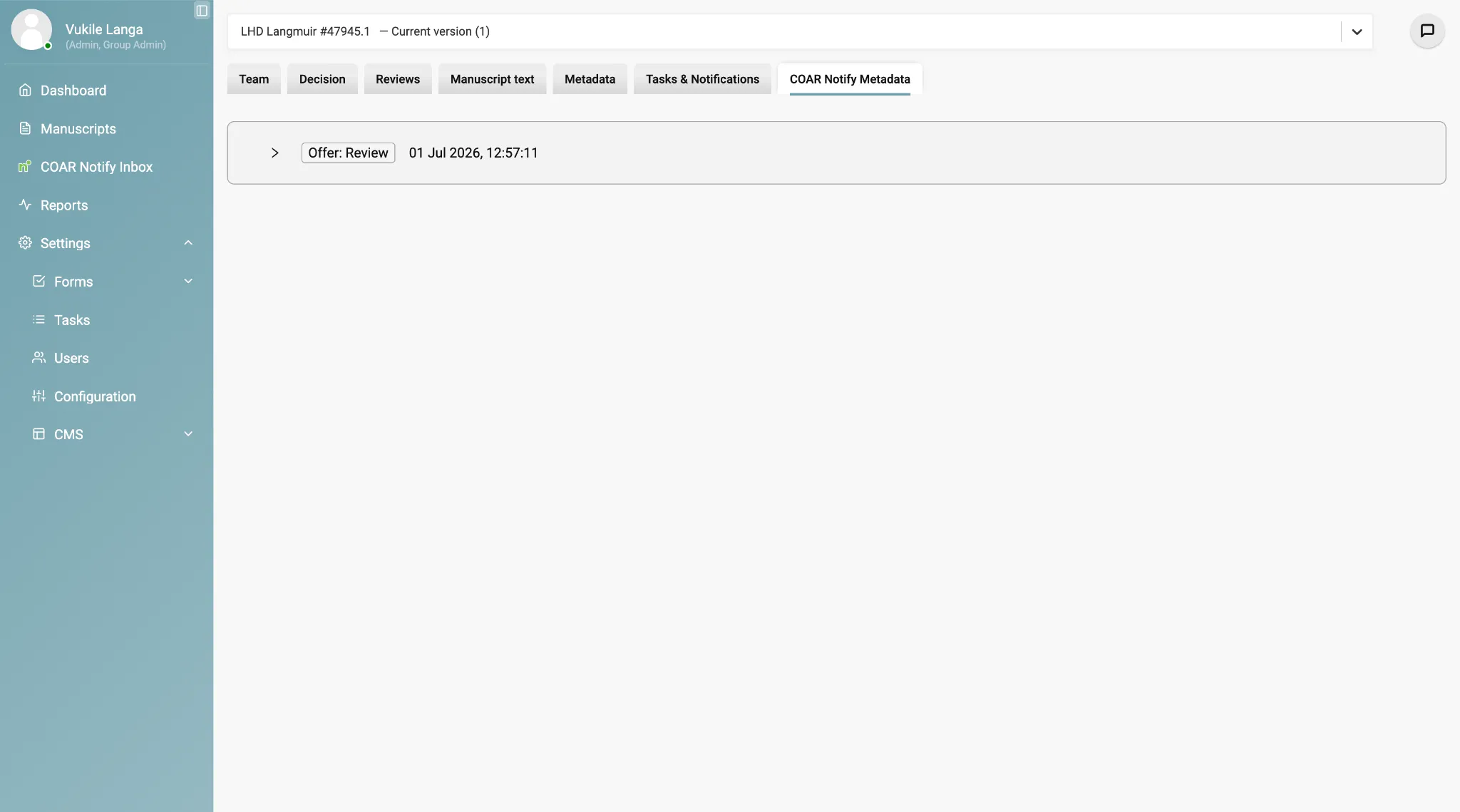
Section titled “The COAR Notify metadata tab”This tab is visible to Admin and Editor roles and lives inside an individual manuscript record. It shows that manuscript’s full history within the COAR Notify system: every request, response and status change relevant to it.
Spotting COAR Notify submissions
Section titled “Spotting COAR Notify submissions”Manuscripts that arrived via COAR Notify can be told apart from direct submissions and bioRxiv imports in two ways:
- an indicator symbol on the manuscripts list page
- the source in the payload, viewable in the inbox
To make the indicator more prominent, change the component display setting from
submission.$title to titleAndAbstract.
Offers to review
Section titled “Offers to review”An Offer to Review is triggered externally, when a repository or preprint server sends a COAR Notify request to your inbox endpoint. It appears in the inbox for review.
When an editor is assigned to the manuscript, Kotahi automatically sends a Tentative Accept notification back to the originating service. You do not need to send that yourself.
Undoing a request
Section titled “Undoing a request”If an Offer to Review was sent in error or is no longer valid, the sender can submit an Undo request. Once processed:
- the manuscript moves to an archived list
- no further editorial actions can be taken on it
- an Unprocessable Notification is sent if the undo itself fails
Revisions and duplicate DOIs
Section titled “Revisions and duplicate DOIs”Kotahi currently rejects submissions that share a DOI with an existing record. If a revised manuscript arrives with the same DOI as one already in the system, you must create a new manuscript record rather than reusing the existing one.
Handling errors
Section titled “Handling errors”When a COAR Notify request fails, the feedback appears in the inbox. Common causes:
- missing required properties in the payload
- unauthorised requests — an invalid or expired bearer token
- an incorrect or unrecognised DOI
To resolve one:
- Find the failed request in the COAR Notify inbox.
- Click to view the raw payload and identify the problem.
- Edit the payload directly in the interface.
- Resend the corrected notification.
Current limitations
Section titled “Current limitations”Known gaps, as of the July 2026 release:
| Area | Current state |
|---|---|
| Manuscript versioning | Versions sharing a DOI are not linked. On the roadmap, not yet scheduled. |
| UI alignment | Visual formatting of COAR Notify notification tags is still being refined. |
| Centralised monitoring | Functional, but does not yet log all planned fields — sender IP address among them. |
Further reading
Section titled “Further reading”The protocol itself is documented by COAR at coar-repositories.org/tools-and-resources/notify.
Getting help
Section titled “Getting help”Email the eLife Pathways team at pathways@elifesciences.org.