

Reviewer forms
In this section
Section titled “In this section”Build a powerful form for reviewers.
Section titled “Build a powerful form for reviewers.”Kotahi’s reviewer forms are a powerful tool designed to streamline the review process. They focus the workflow, reduce reviewer fatigue, and ensure consistent, structured data collection. This customization leads to more robust feedback and valuable analytics, enhancing the overall review quality.
You can build your own reviewer form through the form settings. Tailored reviewer forms focus the process, reduce fatigue, provide guidance, collect consistent structured data, and adapt over time. This ultimately leads to more robust, useful reviewer feedback and analytics.
To get started choose Settings→Forms→Review.
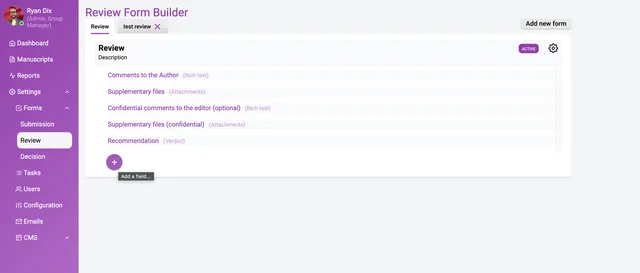
The above image shows a completed reviewer form. Building a review form is essentially the same process as building a submission form (see documentation).
It is important to note that Kotahi enables individualised and shared reviews. These two options are not controlled here (see documentation on reviews).
Support for Multiple Review Forms
Section titled “Support for Multiple Review Forms”Currently, you can create multiple review forms but only a single form can be selected for use. Only the Form purpose identifier field populated with ‘review’ will be available to reviewers.